Disclosure: This article contains affiliate links. If you make a purchase through these links, Glaminx may earn a commission at no additional cost to you.
Crafting clear, organized writing often requires cutting through digital clutter. The Typora markdown editor approaches digital composition with an emphasis on clarity, removing syntax noise and side-by-side preview panes in favor of a seamless live preview. Whether drafting an article, authoring long-form technical documentation, or simply structuring everyday thoughts, selecting tools from curated digital workspaces helps maintain focus from the initial idea to the final draft.
Traditional plain-text workflows frequently require writers to toggle between raw syntax and a rendered display. In contrast, Typora functions as both a reader and writer simultaneously. When you input formatting tags, headings, or inline elements, the software formats them immediately without obscuring the underlying structure. For anyone seeking a fluid desktop workspace, exploring the Typora markdown editor provides an intuitive entry into distraction-free writing.
Publishing and Content Creation Workflows
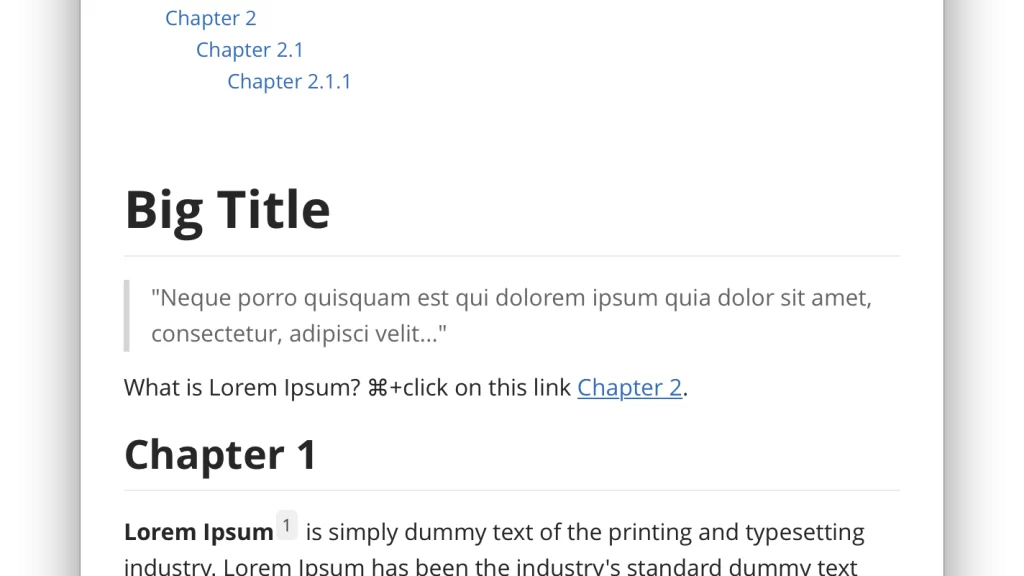
For bloggers and digital creators, preparing content often entails assembling complex elements alongside body text. Typora accommodates these demands by handling drag-and-drop imagery, image resizing through HTML parameters, and relative path configurations tailored to static websites. Tables can be generated with shortcuts and resized smoothly by dragging boundaries, eliminating the tedious spacing adjustments common to plain text.
Writers who often combine text expansion utilities, like those explored in our guide to the TextExpander shortcut app, will find that Typora complements fast-paced drafting routines. By automatically generating tables of contents with a simple bracketed prompt and supporting inline footnotes, the editor keeps multi-layered publishing projects manageable.
Technical Research and Structured Note-Taking
Academic drafting, coding references, and quantitative projects require specialized formatting tools. Typora includes built-in support for syntax highlighting across approximately 100 programming languages, making code fences crisp and readable. Mathematical notation is equally accessible, featuring integrated MathJax extensions and automated equation numbering.
When notes require visual diagrams, built-in support for Mermaid and flowchart engines renders sequence charts and flowcharts directly from plain-text definitions. To streamline structured research, researchers can learn more via Typora’s official tools to see how diagram rendering and file tree organization fit their study routines.
Choosing the Typora Markdown Editor for Your Routine
Determining whether this minimal markdown editor matches your habits comes down to how you interact with source files. If your work relies on clean, portable Markdown files without proprietary lock-in, Typora keeps your storage open and accessible. It seamlessly navigates local directories, syncs with personal cloud storage such as iCloud or Dropbox, and provides an outline panel for quick document navigation.
The software also features focus mode, typewriter mode to center active lines, and configurable CSS styling for custom visual themes. Users requiring diverse outputs can export finished files into formats like PDF, DOCX, LaTeX, or EPUB, making document sharing smooth across teams and publishing pipelines.
Bringing simplicity back to writing does not require sacrificing powerful formatting. Integrating the Typora markdown editor into your daily creative or technical habits delivers an uncluttered environment where thoughts take center stage effortlessly.
Leave a Reply